

Dial800 offers multiple types of phone numbers for your business, now all managed under the Numbers page inside the Dial800 platform. Choose from toll free numbers, local numbers, tracking numbers, and more!
Dial800 Number Management
Log into Portal.Dial800.com and under AccuRoute in the top navigation menu, select Numbers.
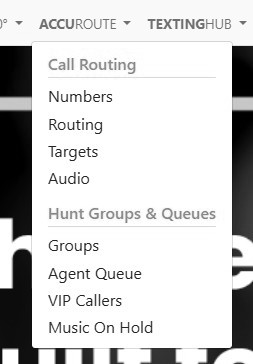
From here you can select any of your numbers and then update properties, apply tags, and keep the routing to the number aligned with your current marketing campaigns.
Manage Your Number Inventory
On the main screen of the Numbers page, you will see three tabs with your account’s numbers: Inbound Numbers, CloudVoice Numbers, and Teams Direct Routing Numbers:

From here you can view and organize all of your numbers for each type. You can search, sort, and update your number inventory, and even add, remove, or reassign numbers from one screen.
Edit Number Properties
Next to each number there are two buttons: Properties and Tags. To view or update the properties on a number, click Properties.

This will pop up the Properties menu where you can select the routing profile for the number, set the number of seconds for the call to ring or max call length, and attach audio files to the number for whisper messages and more:
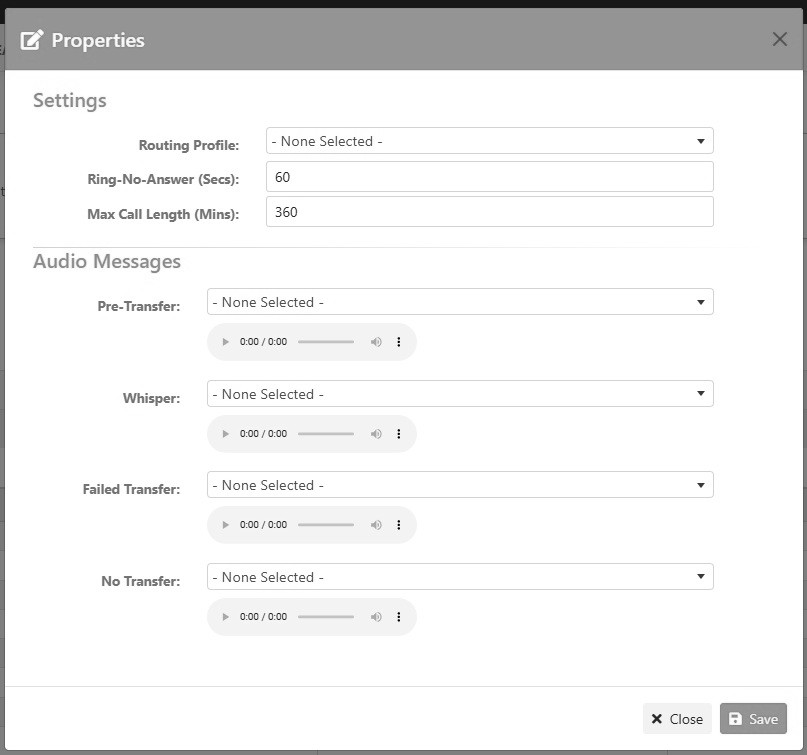
By editing these settings for each number based on your campaign needs and routing logic, Dial800 helps you customize how the different numbers behave to align with your overall AccouRoute strategy.
Add & Manage Tags
Once you have set up tags, you can attach them to individual numbers by clicking the Tags button.
This will pop up a DNIS Tags menu, showing all your current tags. Select the one(s) you want to add and click Save.
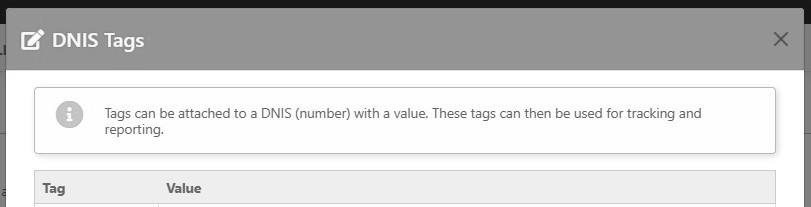
Applying tags helps you group numbers by campaign, channel, team, or routing rules. This keeps your numbers organized, and makes it easy to find and use tagged numbers for routing and reporting by tracking tagged number performance across your entire number portfolio.
With many customizable options, AccuRoute helps you manage all your numbers for inbound calls and cloud voice solutions – if you have questions or need help, contact Dial800 Customer Care or call 1-800-DIAL800.
 CallView360®
 VoiceInsights AI
 AccuRoute®
 BizCloud
 RapidRecall®
 Integrations